Last updated: 16 October 2026
Changed banks or closed your old account? You need to update your details with SASSA, or your grant may not reach you. This guide shows how to change SASSA banking details for the SRD grant and for permanent grants.
Wiz Admissions is an independent website. We are not linked to SASSA or the Department of Social Development.
Changing SASSA banking details at a glance
- SRD (R370) grant: change online at srd.sassa.gov.za.
- Old Age, Disability, Child Support and other grants: visit a SASSA office in person.
- Account rule: the account must be in your own name.
- Identity check: SASSA uses facial recognition for SRD banking and cellphone changes.
- Cost: free.
- Helpline: 0800 60 10 11 (toll-free).
Before You Start
Check these three things first. They cause most failed updates.
- Your cellphone number. SASSA sends PINs and links to the number on your application. If it has changed, update it first.
- Your account name. The account must be in your name, exactly as on your ID.
- Your account is active. A closed or dormant account will fail the bank check.
Follow the Wiz Admissions WhatsApp Channel for new vacancies, learnerships, bursaries and application deadlines. It’s free, and we will never ask you for money. Follow the channel →
How to Change SRD Banking Details Online (Step by Step)
SRD grant clients can update their banking details on the official SRD website. Use a phone with data and a working camera.
- Open the official site. Type srd.sassa.gov.za into your browser yourself. Do not click links in messages.
- Find the banking details option. Look for the section on changing or updating banking details.
- Enter your ID number. Use the same 13-digit ID number you applied with.
- Open the SMS from SASSA. SASSA sends a secure link or PIN to your registered cellphone number.
- Verify your identity. You may be asked to complete a face scan. Follow the instructions in good light.
- Enter the new bank details. Choose your bank and type the account number carefully.
- Submit and save proof. Take a screenshot of the confirmation screen.
After you submit, SASSA checks the account with your bank. This can take some time. Your status may show that bank details are pending while this happens.
When does the new account start working?
New details are only used once the bank check is complete. If you change close to payment time, the next payment may still be delayed.
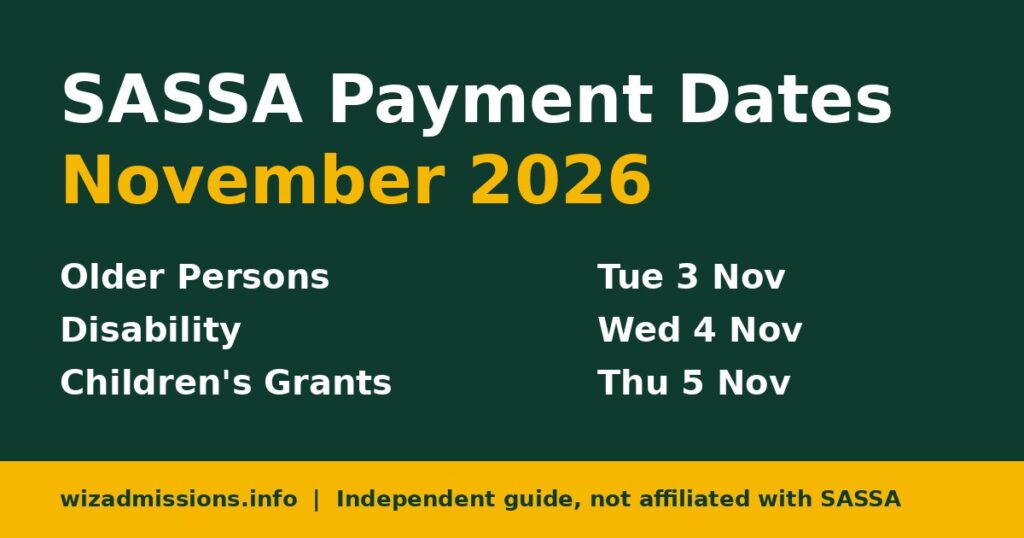
Check your SRD status regularly on srd.sassa.gov.za. Our SASSA Payment Dates page shows when grants are expected.
SRD Payment Options
You do not need a traditional bank account to get the SRD grant. You can choose from options like these:
| Option | What you need |
|---|---|
| Your own bank account | An active account in your own name |
| Cash send to your cellphone | A cellphone number registered (RICA’d) in your own name |
| Retail or cardless cash collection | Your ID and the cellphone number on your application |
Available options can change. Check what is offered on srd.sassa.gov.za when you update.
How to Change Your SRD Cellphone Number
If you lost your phone or SIM, update your number before you change banking details.
- Go to srd.sassa.gov.za and find the option to change contact details.
- Enter your ID number and the details requested.
- Enter your new cellphone number.
- Confirm the PIN sent to your new number.
- Complete the identity check if asked.
SASSA applies facial recognition to cellphone and banking changes. This helps stop fraudsters from redirecting grants.
How to Change Banking Details for Permanent Grants
This applies to the Older Person’s Grant, Disability Grant, Child Support Grant, Foster Child Grant and Care Dependency Grant.
These changes are done in person at a SASSA office.
What to bring
- Your original ID.
- Proof of the new bank account in your name. A recent bank statement or a bank letter confirming the account usually works.
- Your SASSA card, if you have one.
If you are unsure what to bring, call SASSA on 0800 60 10 11 before you go.
Steps at the SASSA office
- Tell the official you want to change your payment method or bank account.
- Complete the form they give you. Only you may sign it.
- Your identity may be checked with fingerprints or other biometrics.
- Ask for proof that your request was captured.
- Wait for SASSA and the bank to verify the account.
Bank checks for permanent grants can take a few weeks. Ask the official when to expect your first payment into the new account.
Can someone else’s account be used?
No. The account must be in the grant recipient’s own name. Joint accounts and accounts of family members are generally not accepted.
If you cannot collect your grant yourself, ask SASSA about appointing a procurator instead.
What to Do If Your Payment Does Not Arrive
Sometimes a payment still fails after you change details. Work through these checks in order.
- Check your status. For SRD, log in at srd.sassa.gov.za. Look for messages about bank details or verification.
- Confirm the account is open. Ask your bank whether the account is active and can receive deposits.
- Check the name on the account. It must match your ID. A different spelling can cause a failed check.
- Wait for the next cycle. A change made close to payment time may only apply the following month.
- Contact SASSA. Call 0800 60 10 11 or email GrantEnquiries@sassa.gov.za. Have your ID number ready.
If your SRD application was declined rather than delayed, a banking change will not fix it. Read our SASSA appeal guide instead.
Comparison: SRD vs Permanent Grants
| SRD grant | Permanent grants | |
|---|---|---|
| Where to change | Online at srd.sassa.gov.za | SASSA office |
| Identity check | SMS PIN or link, plus face scan | Original ID and biometrics at the office |
| Proof of account | Account details checked with your bank | Bank statement or bank letter |
| Own-name account needed? | Yes | Yes |
| Cost | Free | Free |
Common Mistakes to Avoid
- Using a family member’s account. The payment will fail or be rejected.
- Typing the account number wrong. Double-check every digit before you submit.
- Changing details too often. Each change needs a new bank check, which can delay payments.
- Using an old cellphone number. You will not receive the PIN or link.
- Closing your old account too early. Keep it open until your first payment arrives in the new one.
- Using a fake website. Real SASSA sites end in .gov.za.
Scam Warning
Banking detail changes are a favourite target for scammers. Once they change your details, your grant goes to them.
- Never share your SASSA PIN, OTP or online banking password.
- SASSA does not charge a fee to change banking details.
- Do not use “agents” on WhatsApp or Facebook who offer to change details for you.
- Do not click links in SMS or social media messages. Type srd.sassa.gov.za yourself.
- If you think someone changed your details, contact SASSA immediately on 0800 60 10 11.
Frequently Asked Questions
Can I change my SASSA banking details online?
Yes, for the SRD grant at srd.sassa.gov.za. For permanent grants, you must visit a SASSA office.
How long does it take for new SASSA banking details to work?
It depends on the bank check. It can take days or a few weeks. Check your status before payment dates.
Can I use my mother’s or partner’s bank account?
No. SASSA pays only into an account in the grant recipient’s own name.
What does “bank details pending” mean?
It means SASSA has not yet finished checking your account. Wait, and make sure the account is active and in your name.
Why does SASSA ask for a face scan?
SASSA uses facial recognition to confirm it is really you. This protects your grant from people trying to redirect it.
Related Guides
- SASSA Payment Dates
- SASSA Appeal 2026: How to Appeal a Declined SRD or Grant Application
- SASSA Old Age Grant 2026: Who Qualifies, Amount and How to Apply
- EPWP Jobs
Conclusion
SRD clients can change banking details online at srd.sassa.gov.za. Everyone else must visit a SASSA office with their ID and proof of account.
Use an account in your own name, keep your cellphone number up to date and never share your PIN.
Disclaimer: Wiz Admissions is an independent information website. We are not affiliated with SASSA or the Department of Social Development. Always confirm the latest process with SASSA directly.